
The most important
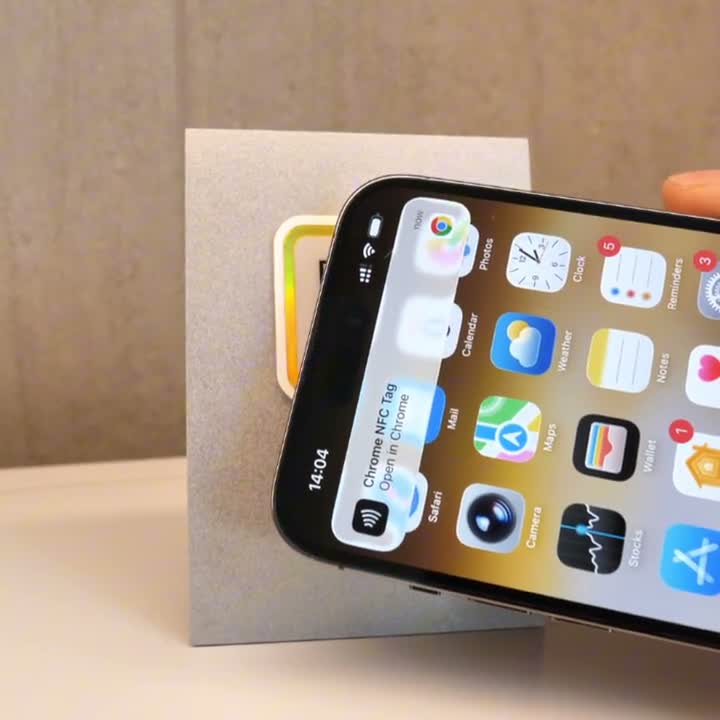
- How it works: An NFC sticker holds a tiny chip powered by your phone's own signal. Hold the phone within a couple of centimetres and a notification appears — no camera, no app, no aiming.
- NFC vs QR: Tapping is faster up close. Scanning works from a distance and on every phone. A sticker with both covers everyone.
- Phone support: iPhone 7 and newer, and every modern Android. Standard phone cases don't block it.
- The metal problem: Ordinary NFC stickers stop working when stuck to steel or aluminium. Shielded versions fix this, with slightly shorter range.
- Cost: Reading a link over NFC needs no subscription. Only the cryptographic features (proof of presence, tamper detection) sit behind a paid plan.
1. What is an NFC sticker?
An NFC sticker is a printed label with a thin antenna and a microchip laminated inside it. There's no battery. When you hold a phone close, the phone's radio field powers the chip just long enough for it to hand over a web link, and the phone opens it.
That's the whole mechanism. Near Field Communication is the same technology behind contactless bank cards and hotel key cards, working over a couple of centimetres rather than across a room.
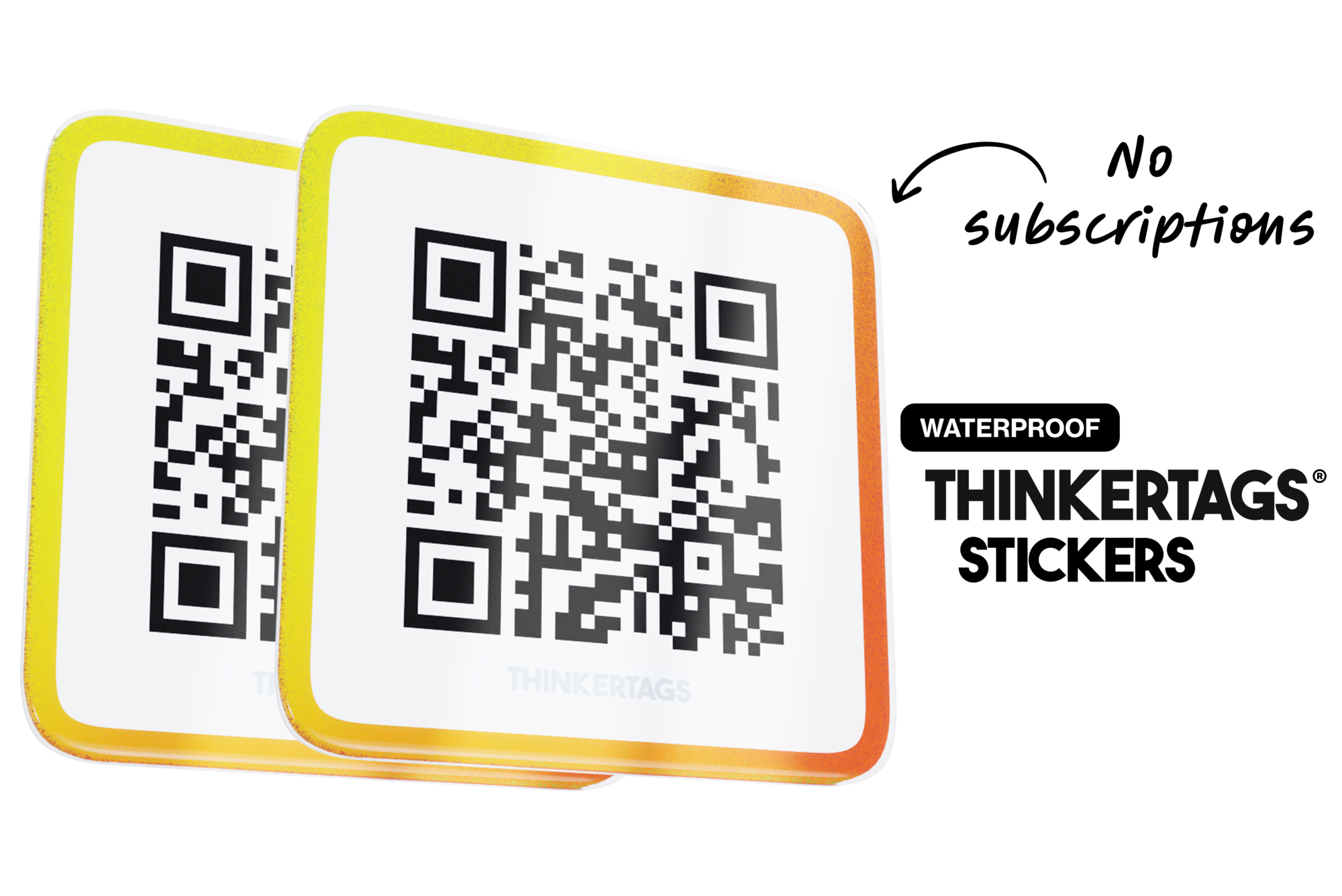
On a Thinkertag, the NFC chip sits behind the printed QR code, so the same sticker can be tapped or scanned. Both routes lead to the same destination, and you can point that destination anywhere — up to five links per tag.
2. NFC vs QR codes: which do customers actually use?
Neither replaces the other. They fail in different situations, which is why putting both on one sticker is more useful than picking a side.
| NFC tap | QR scan | |
|---|---|---|
| Distance | A couple of centimetres | Roughly 10× the code's width — a 3.5 cm code reads from ~35 cm |
| Speed | Instant from the lock screen | Open camera, aim, wait for focus |
| Works in the dark | Yes | Poorly — cameras need light and contrast |
| Phone support | iPhone 7+, modern Android | Every phone with a camera |
| Awkward angles | Fine, contact is all that matters | Struggles at sharp angles or behind glass |
| Can it be photographed and reused? | No, the tag has to be physically present | Yes, a screenshot works |
In practice, tapping wins where the phone is already in the customer's hand and the sticker is reachable: a counter, a table, a machine panel at hip height. Scanning wins across a room, behind glass, or on a poster nobody can touch.
The sizing rule in the QR column is worth reading in full if you're printing codes — it's covered in The Ultimate Guide to QR Code Stickers.
3. Will NFC work on my phone?
Almost certainly, and without installing anything.
- iPhone 7 and newer read NFC tags natively. On recent models the phone reads them straight from the lock screen with the display on.
- Modern Android phones have had NFC for years. It's usually on by default; if nothing happens, check that NFC is enabled in settings.
- Phone cases are not a problem. Standard plastic, silicone and leather cases don't block the signal. Thick metal cases and some heavy-duty wallet cases can weaken it.
You hold the phone near the sticker, feel a short vibration, and a notification appears. Tap the notification and the page opens.
4. Why NFC stops working on metal — and how to fix it
This is the failure that surprises people most, and it catches out anyone tagging equipment.
Stick an ordinary NFC sticker onto steel, aluminium or a server rack and it stops responding. The metal absorbs and reflects the phone's radio field, detuning the tag's antenna so it can never gather enough power to answer.
The fix is a ferrite shielding layer between the chip and the surface, which keeps the field clear of the metal. Thinkertags makes a dedicated Metal variant with this built in, so it works reliably on machinery, steel doors, server racks and vehicles. The trade-off is honest: shielded tags read from slightly shorter range than the standard version.
If the sticker is going anywhere metallic and you want the tap to work, order the Metal variant. On wood, glass, plastic, laminate or painted plasterboard, the standard version is fine.
QR Code Stickers
5. How to set up an NFC sticker
There's no programming step in the usual sense, because the destination lives in software rather than on the chip.
- Claim the tag by scanning or tapping it once yourself.
- Paste the URL you want it to open — a menu, a Google review page, a manual, a booking form.
- Test it with your own phone before it goes on the wall.
Because the link is dynamic, changing the destination later takes seconds and the printed sticker stays where it is. Turning on Direct Link sends people straight to the target URL with no preview page in between, which makes the tap-to-page journey about as short as it gets.
6. Where a tap beats a scan in real businesses
- Equipment and machinery. A maintenance tag at hip height on a machine is awkward to photograph and easy to touch. Point it at the PDF manual or service log.
- Restaurant tables. Dim lighting is exactly where camera scanning struggles and tapping doesn't care.
- Retail counters. The phone is already out for payment, so a tap costs the customer nothing.
- Server racks and utility rooms. Cramped spaces make aiming a camera fiddly. These are also metal, so use the Metal variant.
- Membership and access cards. Tapping feels like the contactless payment people already do daily.
7. Tamper-proof NFC and proof of presence
Every Thinkertag ships with an NTAG 424 DNA chip. Alongside the ordinary link, it can generate and verify a cryptographically unique signature on every single tap.
That solves a problem QR codes can't. A QR code is just a picture, so anyone can photograph it and open the link from home. An NFC tag using signed messages produces a fresh, verifiable code each time, so a recorded tap is evidence that someone stood in front of it. If the tag is copied or tampered with, that shows up too.
The uses are narrow but valuable: a security guard completing a patrol route, a technician signing off a maintenance check, a cleaner confirming a room was serviced.
Reading a normal link over NFC is included with every sticker and needs no subscription. The cryptographic verification features run on a Thinkertags MAX plan, since they involve ongoing server-side validation. For a quote, email support@thinkertags.com.
8. When you don't need NFC
- The sticker is out of reach. A window, a poster, a sign above head height — nobody can tap what they can't touch, so a well-sized QR code does the job.
- Your audience is on older phones. QR scanning works on anything with a camera.
- The code lives on a screen or in an email. NFC is physical. A digital QR code is the right tool.
- You only need it for a weekend. For a short indoor event, a printed QR code is enough.
Thinkertags Stickers
Our mission is to make beautiful and scratch resistant stickers with NFC that elevate your brand, are updatable and last a long time.


Our mission, tags that you will love.

Common Questions
Do NFC stickers need batteries? No. The chip draws all the power it needs from the phone's radio field during the tap, which is why the tags work for years and are only a fraction of a millimetre thick.
Do my older Thinkertags have NFC? No. NFC is built into the current line. QR-only tags carry on working exactly as before.
Do customers need an app? No. NFC reading is built into iOS and Android. The phone shows a notification and the page opens in the browser.
Will a phone case block the tap? Standard plastic, silicone and leather cases are fine. Thick metal cases can interfere.
Why doesn't my NFC sticker work on my machine? Almost certainly because the surface is metal. You need a shielded Metal variant for steel, aluminium and server racks.
Can I change where an NFC sticker points? Yes, at any time from the dashboard. The link is dynamic, so the printed sticker never has to be replaced.
Can someone copy an NFC sticker? A plain link can be read by anyone who taps it, exactly like a QR code. The NTAG 424 DNA signing features make taps verifiable and tampering visible, and those run on a Thinkertags MAX plan.
Does NFC cost extra every month? No. Tapping to open your link is included with the sticker. Only the cryptographic proof-of-presence features require a paid plan.