The Challenge: When Assets Disappear Into Chaos
Every operations manager knows the feeling. Equipment scattered across multiple locations. Maintenance records buried in filing cabinets or fragmented spreadsheets. Service requests lost in email threads. The constant question: "Where is that asset, and what's its current status?"
For enterprises managing hundreds or thousands of physical assets - whether machinery, vehicles, equipment, or inventory - poor visibility creates real business costs:
- Delayed maintenance leads to equipment failures
- Lost documentation causes compliance headaches
- Inefficient service workflows waste technician time
- No audit trail makes accountability impossible
The solution isn't another complex enterprise system that takes months to implement. It's a simpler approach: make every asset instantly accessible with a QR scan, and give your team the visibility they need to regain control.
Take your Asset Operations
into the 21st century.
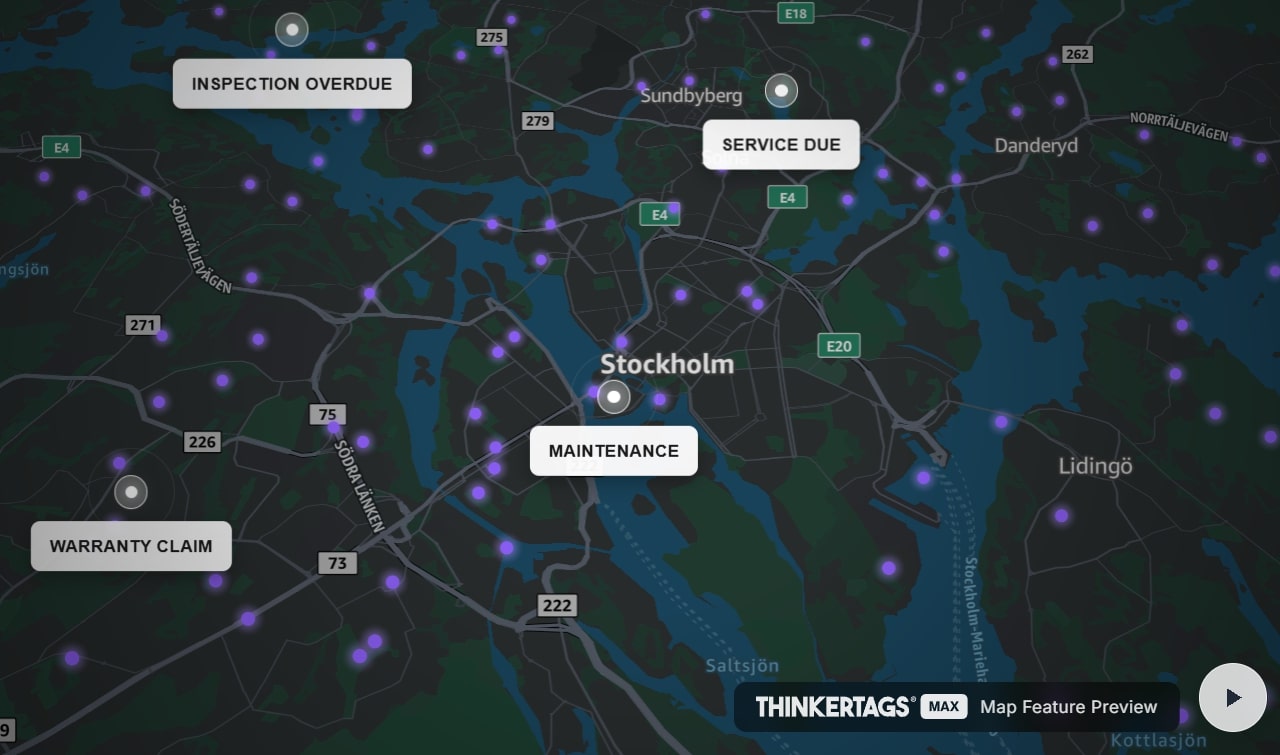
 Map Feature Preview
See how Thinkertags brings your entire asset fleet to life.
Visibility: See Your Entire Fleet at a Glance
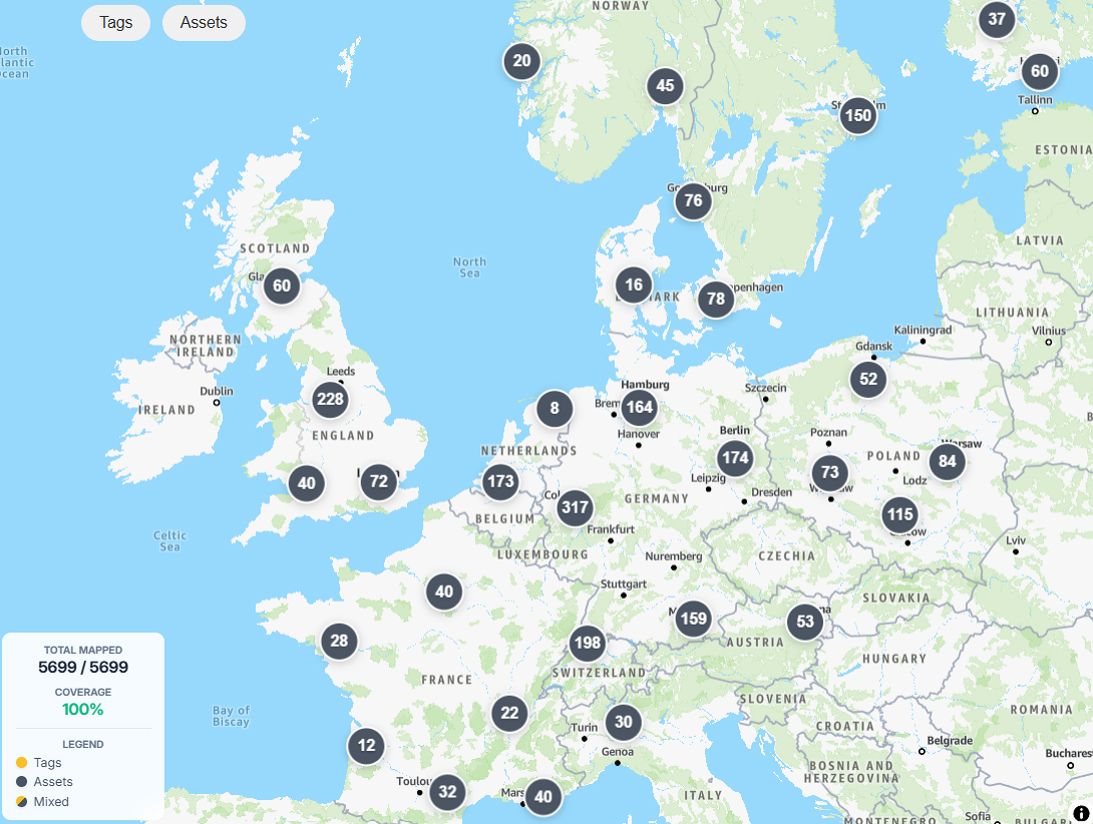
The first step to regaining control is knowing what you have and where it is. Thinkertags' Immersive Map transforms asset management from spreadsheet chaos into spatial clarity.
Spatial Visualization
Your entire asset fleet displayed on an interactive map. No more wondering where equipment is located - see it instantly:
- Smart clustering handles thousands of assets without visual clutter
- Color-coded markers distinguish tagged assets (golden) from untagged (grey)
- Zoom and filter to find exactly what you need
Real-Time Status Filtering
Filter your view by what matters:
- By tag status: See which assets have Thinkertags attached vs. which need tagging
- By custom status: Filter by "In Service," "Maintenance Due," "Out of Commission," or any status you define
- By location: Enable proximity mode to see assets within walking distance, your neighborhood, or wider area
Statistics at a Glance
The map dashboard shows you the metrics that matter:
- What percentage of your assets are tagged and trackable
- Distribution of assets across statuses
- Visual patterns that reveal operational insights
Accessibility: Instant Access Anywhere
A map is powerful, but the real transformation happens in the field. When a technician, inspector, or customer encounters an asset, they need instant access to relevant information - without downloading apps or logging into complex systems.
The QR Scan Experience
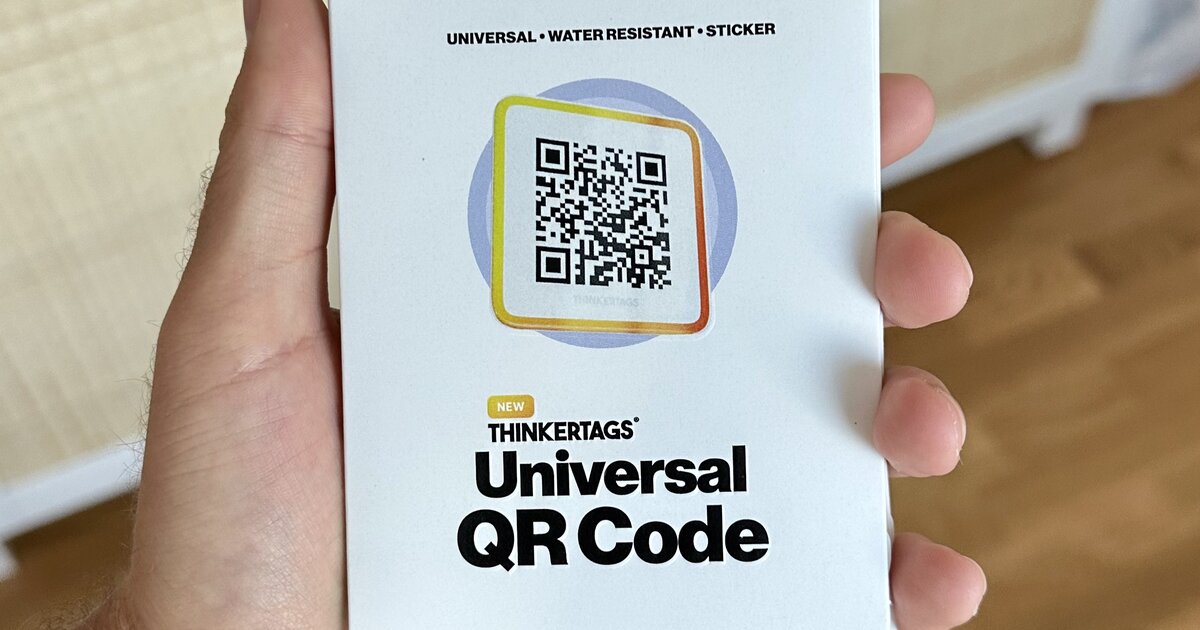
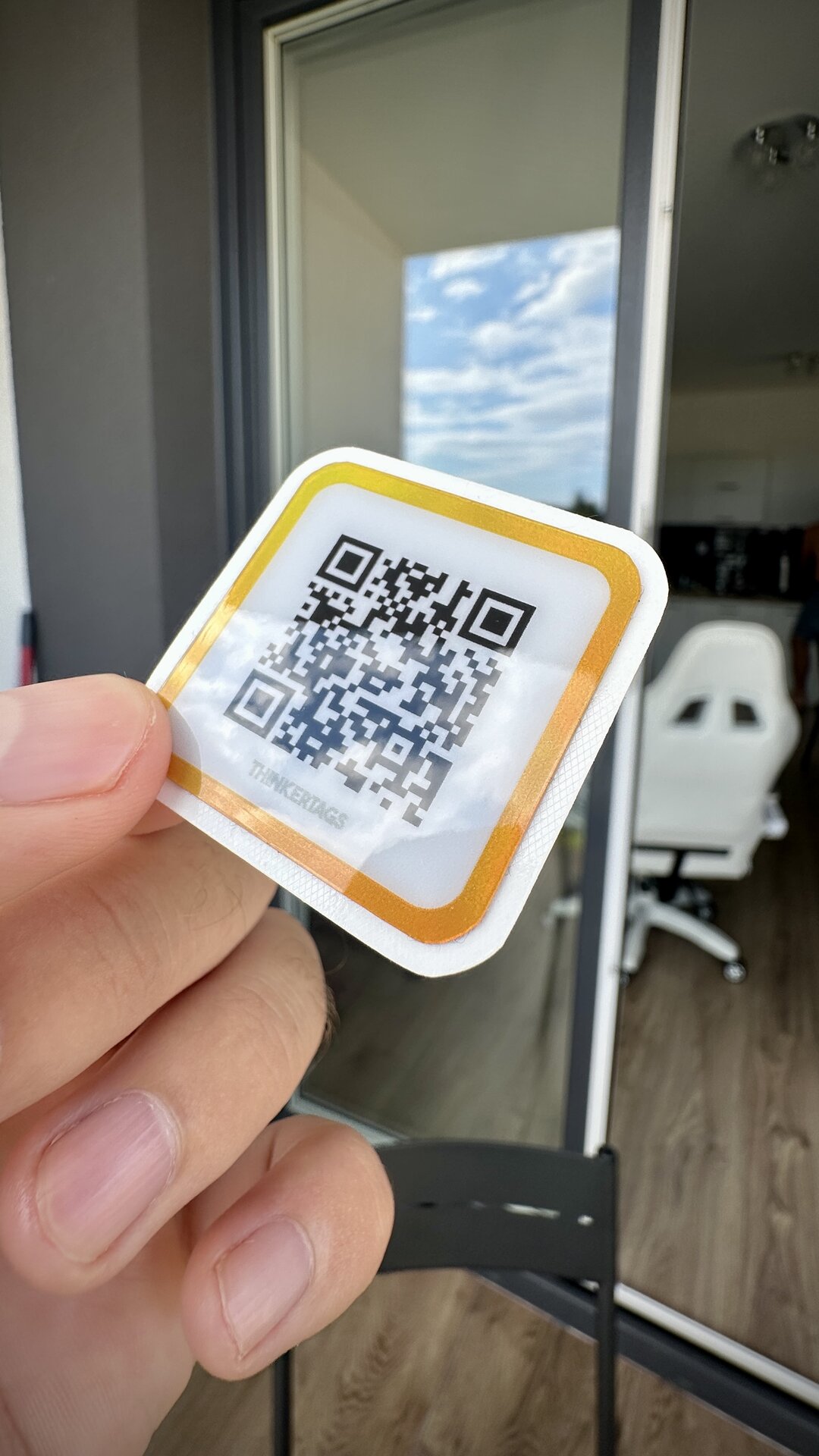
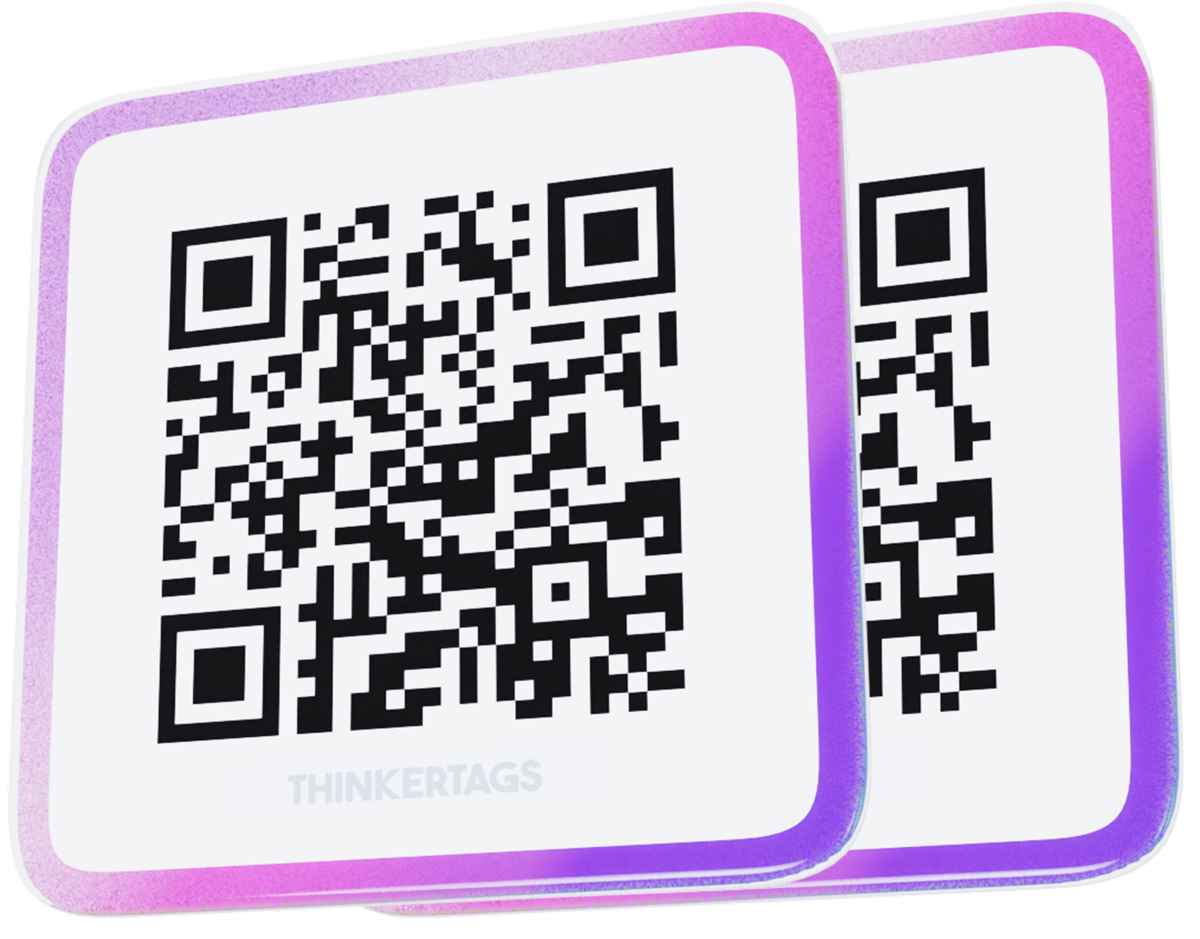
Every Thinkertag is a professional QR code sticker that survives real-world conditions. When scanned:
- Instant recognition - The phone's camera reads the QR code
- No app required - Opens directly in any mobile browser
- Immediate access - Asset information loads in seconds
No training required. No app downloads. No passwords to remember. Just scan and access.
Two Paths: Integration or Standalone
Thinkertags adapts to your situation:
Path A: Integration Mode (Middleware)
Already have an ERP, CMMS, or internal asset system? Thinkertags becomes your access layer:
- Configure each tag to redirect to your existing system
- Support up to 5 links per asset (manuals, service portals, documentation)
- Use QR codes as the universal entry point to your infrastructure
- No changes to existing systems required
Path B: StoreFront Mode (Lightweight Asset Management)
Don't have a system, or want additional capabilities? StoreFront provides built-in asset management:
- Complete asset profiles with images and documentation
- Service request workflows with email notifications
- Custom status tracking with audit logs
- Document management with access control
Most enterprises use a combination - linking to existing systems while leveraging StoreFront for features their current tools lack.
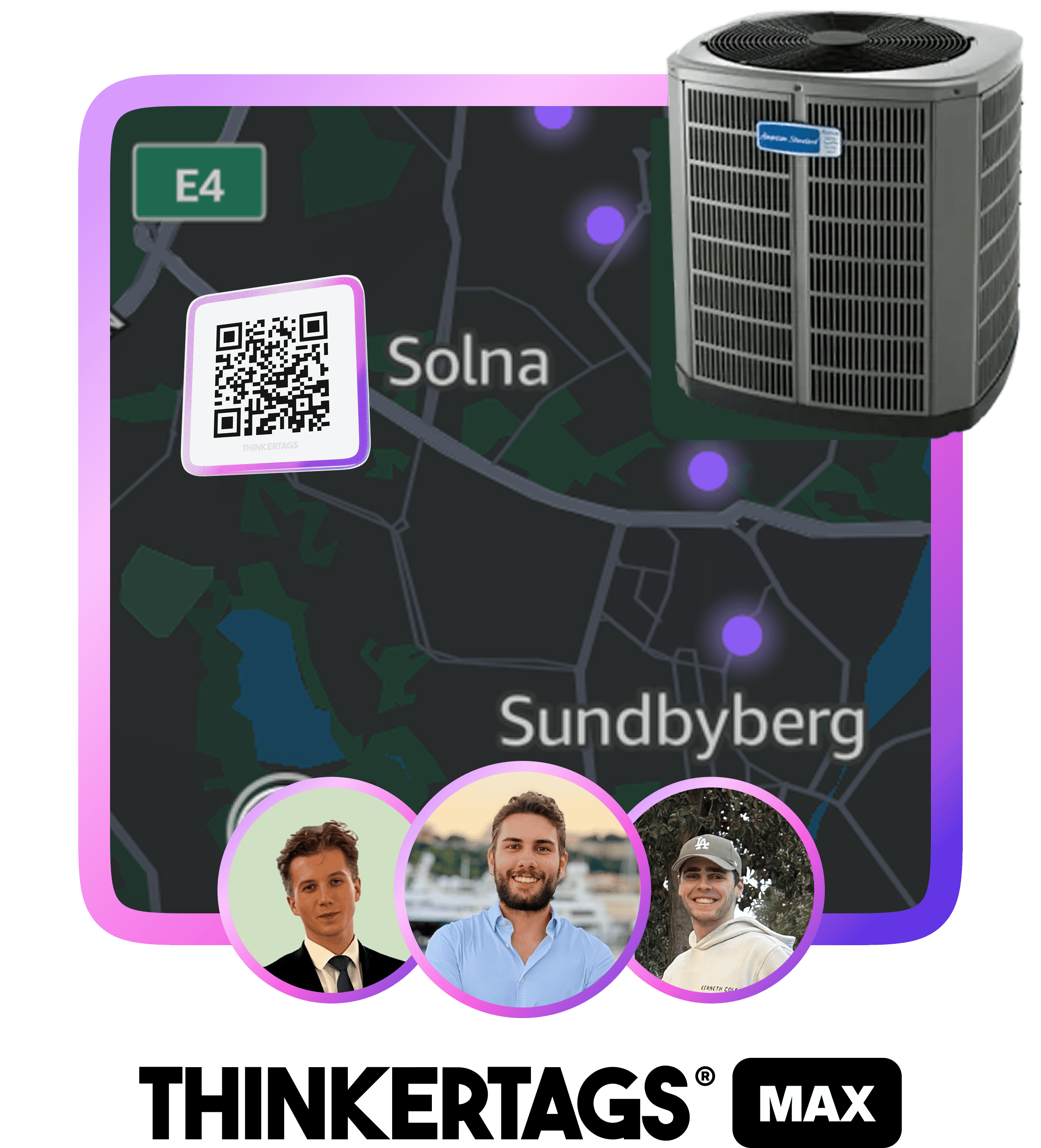
StoreFront: Your Asset Command Center
StoreFront is a configurable asset profile that appears when someone scans a Thinkertag. Think of it as a landing page for your physical asset - showing exactly the information you want, to exactly the people who need it.
Asset Identification
Every StoreFront starts with clear identification:
- Product image for instant visual recognition
- Asset name and description for context
- Serial number or custom identifiers for precise tracking
- Company branding with your logo, contact information, and website
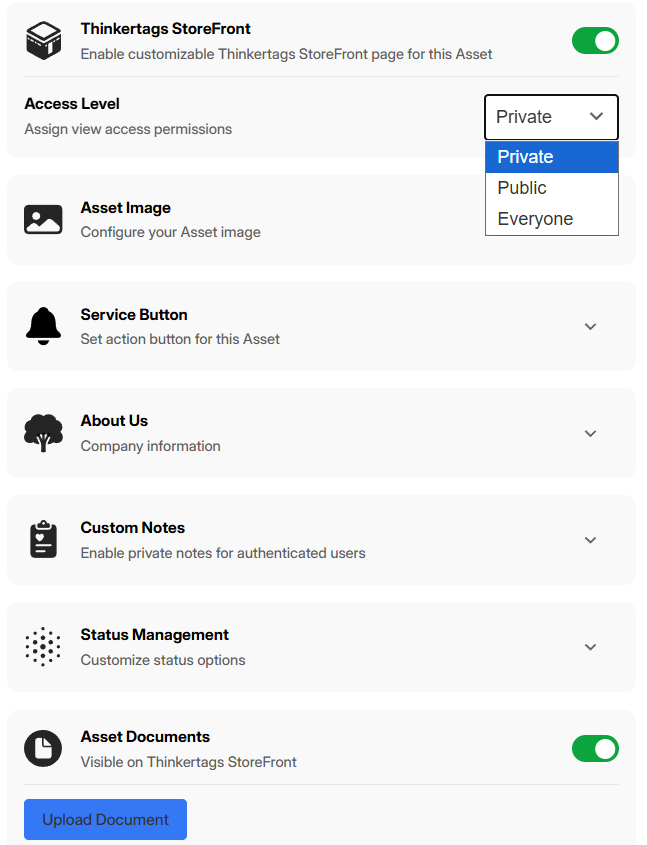
Document Management
Attach critical documentation directly to the asset:
- Upload PDFs, images, and documents - manuals, certificates, inspection reports
- Track document views - know which documents are actually being accessed
- Control access - mark documents as public (anyone can view) or private (authenticated users only)
- 20MB per document - room for detailed technical manuals
When a technician scans an asset, the relevant documentation is right there. No searching through shared drives or requesting files from the office.
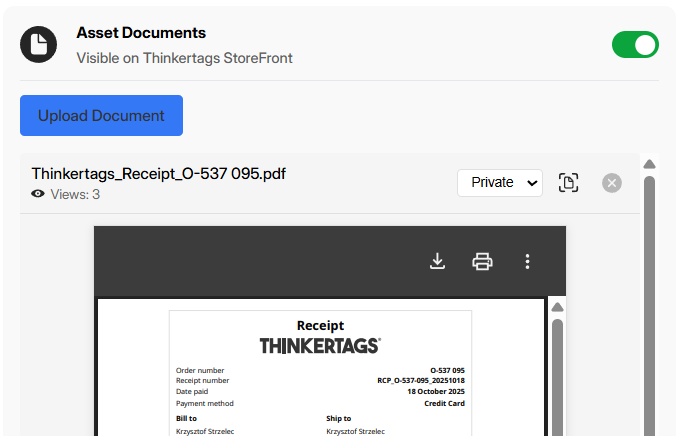
Custom Status Management
Track asset lifecycle with statuses that match your operations:
- Create custom statuses with names and colors that fit your workflow
- Visual indicators show current status at a glance
- Status history maintains an audit trail of changes
- Filter and report based on status across your fleet
Default statuses like "Initiated," "In Progress," "On Hold," "Completed," and "Cancelled" are provided, but you can customize completely.
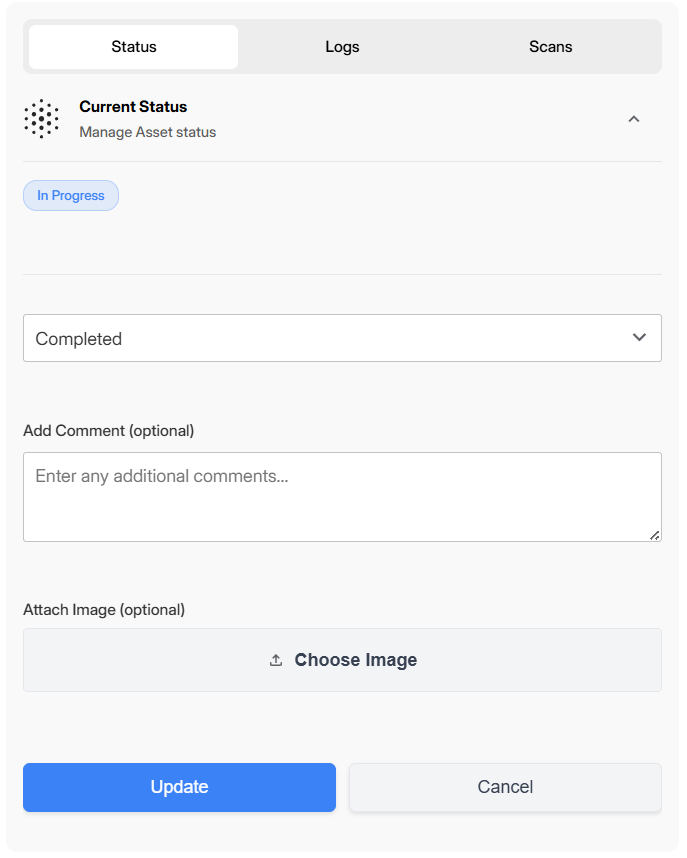
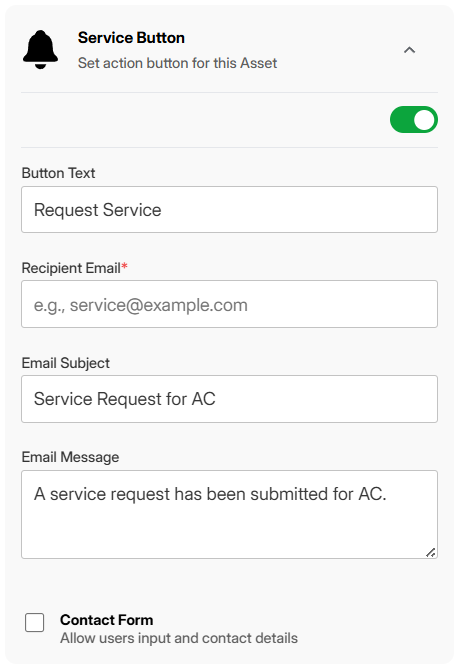
Service Request Button
Enable one-click service requests directly from the asset:
- Configurable button text - "Request Service," "Report Issue," "Schedule Maintenance"
- Email notifications - Requests go directly to your designated inbox
- Form capture - Collect name, email, and message from the requester
- Asset context included - Every request includes the asset name and identifier
A field worker scans a malfunctioning machine, taps "Request Service," fills in a brief description, and your maintenance team receives an email with all the details - including exactly which asset needs attention.
Private Notes
Some information should only be visible to your team:
- Internal notes visible only to authenticated users
- Perfect for service history, known issues, or internal procedures
- Hidden from public view and unauthenticated scanners
Process Optimization: Streamlined Workflows
Visibility and accessibility are foundations. The real value comes from optimized processes that save time and reduce errors.
Service Request Workflow
Before Thinkertags:
- User encounters issue
- Writes down asset details (maybe)
- Returns to office
- Emails or calls to report issue
- Back-and-forth to clarify which asset
- Finally, service is scheduled
With Thinkertags:
- User scans asset
- Taps "Request Service"
- Types brief description
- Done - request arrives with full asset context
Time saved. Errors eliminated. Accountability established.
Status Tracking and Logging
Every status change is recorded:
- Who changed the status
- When the change occurred
- What the new status is
- Optional notes explaining the change
This audit trail proves invaluable for:
- Compliance reporting
- Warranty claims
- Performance analysis
- Accountability
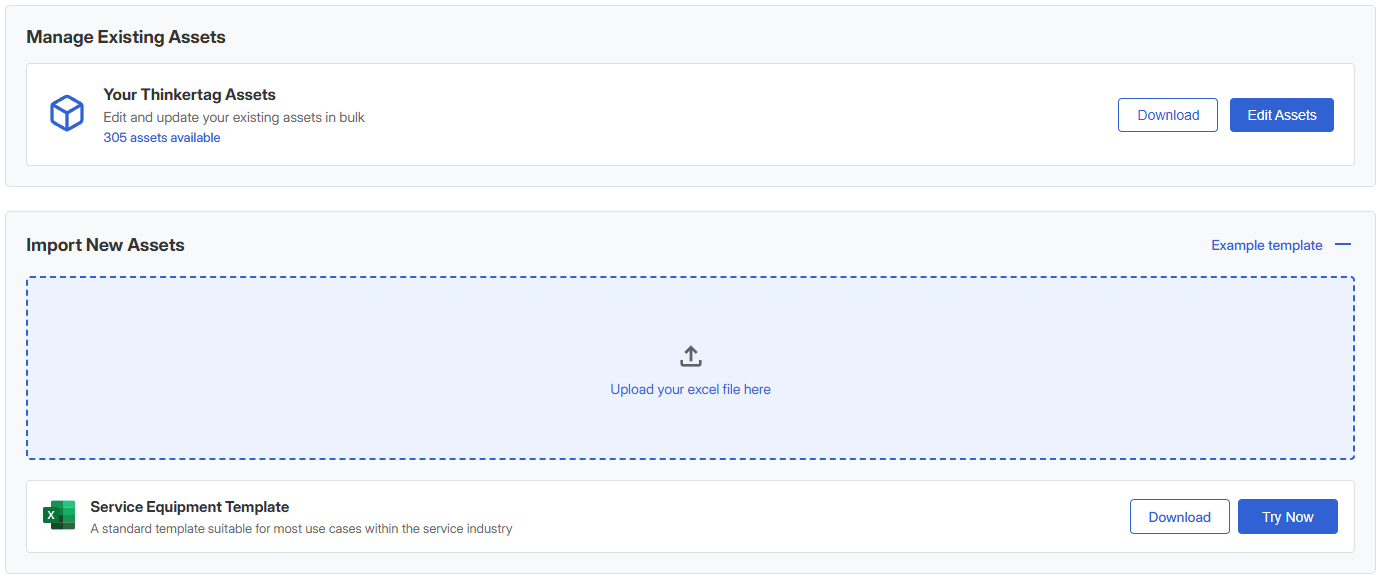
Asset Workbench
For bulk operations across multiple assets:
- Batch status updates - Update dozens of assets at once
- Bulk imports - Add hundreds of assets with geocoded locations
- Quick filters - Find and act on assets matching specific criteria
Quality Assurance and Compliance
Asset management isn't just about knowing where things are - it's about proving what's been done and ensuring standards are met.
Document Trail
Every document attached to an asset creates a record:
- Certificates and compliance documents attached directly to assets
- View tracking shows when documents were accessed
- Access logs for auditing purposes
When an inspector asks for the maintenance certificate for a specific asset, you don't search through files. You scan the asset and show them.
Scan History
Every time a Thinkertag is scanned, an event is logged:
- Timestamp of the scan
- Platform (iOS, Android, desktop)
- Browser information
- Location context
This data answers questions like:
- "When was this asset last inspected?"
- "Who has been accessing this equipment?"
- "Is this asset being utilized?"
Service Request Records
All service requests are captured and traceable:
- Request timestamp
- Requester information
- Asset context
- Request details
Build a complete service history for every asset in your fleet.
Integration Capabilities
Thinkertags doesn't replace your existing systems - it enhances them.
Multi-Link Configuration
Each asset supports up to 5 configurable links:
- Link to your ERP asset record
- Link to your CMMS work order system
- Link to manufacturer documentation
- Link to training videos
- Link to internal wikis or procedures
When someone scans, they see the options you've configured - direct access to exactly what they need.
PDF Hosting
Don't have a document management system? Host PDFs directly:
- Upload manuals, guides, and certificates
- Serve them directly from the QR scan
- No external hosting required
API and Webhooks
For deeper integration:
- Service request webhooks can trigger actions in your systems
- Email notifications can be routed to ticketing systems
- Data export for reporting and analytics
What's your asset score?
Answer 10 questions. See how you compare to industry leaders and get a free Thinkertags®.
Getting Started
Implementing Thinkertags for asset management follows a simple progression:
Phase 1: Tag Your Assets
Start with your most critical or problematic assets:
- Apply Thinkertag QR stickers to physical assets
- Professional-grade stickers designed for industrial environments
- Weatherproof, durable, and scannable for years
Phase 2: Configure StoreFronts
For each asset (or asset type), configure:
- Basic identification (name, image, description)
- Relevant documentation
- Custom statuses matching your workflow
- Service request settings
Phase 3: Enable Your Team
No complex training required:
- Show team members how to scan QR codes (they already know)
- Demonstrate the service request flow
- Explain status meanings relevant to their role
Phase 4: Expand and Refine
As you see results:
- Tag additional assets
- Refine status workflows based on real usage
- Integrate with existing systems where valuable
- Use map and analytics to optimize operations
The Bottom Line
Asset management doesn't require massive enterprise software implementations. Sometimes the most powerful solution is the simplest: make every asset instantly accessible.
Thinkertags delivers:
- Visibility - See your entire fleet on an interactive map
- Accessibility - Instant access via QR scan, no apps required
- Process optimization - Streamlined service requests and status tracking
- Quality assurance - Document management and audit trails
Whether you're integrating with existing systems or using StoreFront as your lightweight asset management solution, Thinkertags helps you regain control of your physical assets.




Ready to discuss your asset management needs?

Call us
Mon–Sat, 9 AM – 7 PM